Back to Blog
Use Case
Shared Inbox Routing Playbook: Rules, Queues, and Escalations That Scale
Design a shared inbox routing model that prevents message collisions, balances queue load, and escalates the right conversations at the right time.
OnSync Editorial Team
March 26, 2026
9 min read
Quick Answer
A strong shared inbox routing model assigns conversations by intent, language, priority, and team ownership, then backs that logic with SLA timers and clear escalation thresholds.
Key Points
- Route by intent and queue type before routing by available agent only.
- Use escalation triggers for VIP conversations, SLA risk, and unresolved ownership.
- Review queue balance weekly so routing rules do not create invisible bottlenecks.
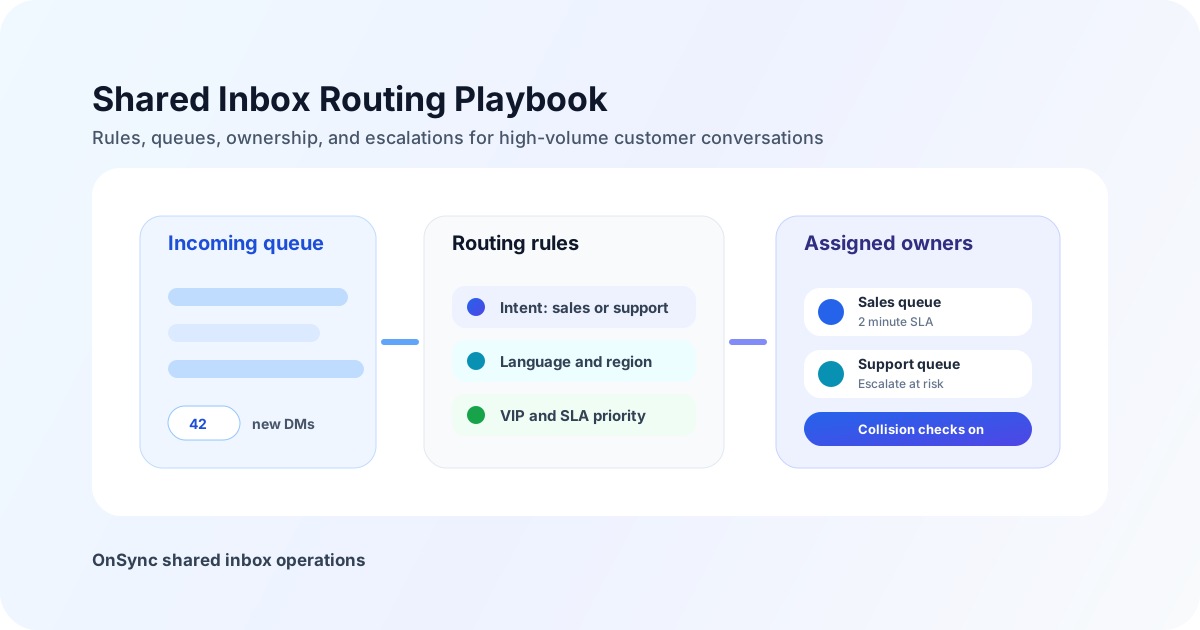
Design a shared inbox routing model that prevents message collisions, balances queue load, and escalates the right conversations at the right time.
Routing Model That Holds Up Under Volume
Intent-first queues
Separate sales, support, and operations traffic before assigning by agent availability.
SLA-aware escalation
Escalate conversations before timers expire instead of after customers have already waited too long.
Governed ownership
Combine assignment, collision prevention, and permissions so one conversation always has one accountable owner.
Cross-team fallback
Define backup teams and exception paths for VIPs, language coverage, and overflow periods.
Weekly Routing Review
- Check queue balance by intent, language, and priority.
- Review escalations that breached SLA and identify missing rules.
- Find conversations that bounced between teams and tighten ownership logic.
- Update macros, tags, and fallback paths for new edge cases.
Internal Links: Routing Adjacent Guides
See the broader inbox model in shared social inbox operations.
Prevent duplicate replies with multi-team reply governance.
Add ownership reporting through conversation assignment tracking.
Ready to Get Started?
Transform your business communication with OnSync's powerful WhatsApp automation platform.