Use this practical 2026 checklist to improve your WhatsApp Business profile, description, photo, catalog, links, quick replies, and team workflow.
To optimize a WhatsApp Business profile in 2026, complete every public field, use a recognizable square logo, write a plain-language description, set accurate hours, add your website and email, choose the right category, keep your catalog current, use click-to-chat links with tracking, prepare quick replies for common questions, and connect WhatsApp to a shared inbox when more than one person handles conversations.
Most WhatsApp Business profile advice starts in the wrong place. It jumps to badges, bots, and campaigns before fixing the basics a customer sees in the first five seconds: your name, photo, description, hours, catalog, website, and response path.
That is where low-click pages usually lose people too. Searchers are not looking for theory. They want to know what to fill in, what to rewrite, and what makes a profile look trustworthy enough to message.
This guide is a practical 2026 checklist for cleaning up a WhatsApp Business profile so it is clearer in search, more credible to customers, and easier for a team to manage once chats start coming in.
A WhatsApp Business profile is the public business information customers see when they tap your business name or phone number in WhatsApp. Depending on whether you use the WhatsApp Business App or WhatsApp Business Platform, the editable fields can include your profile photo, business name, about text, business description, category, address, email, website links, hours, and catalog.
WhatsApp positions its business products around helping companies connect with customers through messaging, from small businesses using the app to larger teams using the Business Platform. Meta's Cloud API business profile request also shows the core platform fields teams usually need to maintain: about, address, description, email, profile picture, websites, and vertical/category.
Useful references:
If the page or profile is getting seen but not clicked, the problem is usually intent mismatch. People searching for WhatsApp Business profile help are often trying to answer one of these questions:
The old version of this post tried to sound advanced before answering those questions. It leaned on broad claims about AI, badges, and chat payments. This rewrite starts with the user's actual job: improve the profile today, then connect it to the team workflow behind it.
Your business name should match what people already know from your website, storefront, ads, receipts, and social profiles. Do not treat the WhatsApp name like an SEO title. A name that looks stuffed with keywords can feel suspicious inside a messaging app.
Use this rule: recognizable first, descriptive second.
Good examples:
Risky examples:
If you use WhatsApp Business Platform, keep the display name consistent with your legal business, website, and Meta Business information. Inconsistent names slow down trust and can create review issues when you apply for more advanced account features.
A good WhatsApp Business description is short, specific, and useful. It should answer four questions without sounding like a slogan:
A practical formula:
| Part | What to write | Example |
|---|---|---|
| Offer | Your main product or service | Specialty coffee, fresh pastries, and catering |
| Audience | The customer you serve | for offices, events, and walk-in customers |
| Location or scope | City, country, delivery area, or online scope | in Riyadh with same-day delivery |
| Next step | What the customer should message you about | Message us for today's menu or bulk orders |
Better description example:
GreenBrew Coffee Co. serves specialty coffee, pastries, and office catering in Riyadh. Message us for today's menu, delivery options, or bulk orders.
Weak description example:
We are the best company for all your needs. High quality, great prices, and customer satisfaction guaranteed.
The second version could describe almost any business. The first version tells the customer exactly why they should start a chat.
Your profile photo appears in small places: chat lists, notifications, contact cards, and ad journeys. A detailed banner or full product photo usually becomes unreadable.
Use a square image with a centered logo, icon, storefront mark, or founder photo if the business is personality-led. Test it by shrinking it on your phone. If you cannot recognize it at a glance, customers will not either.
Checklist:
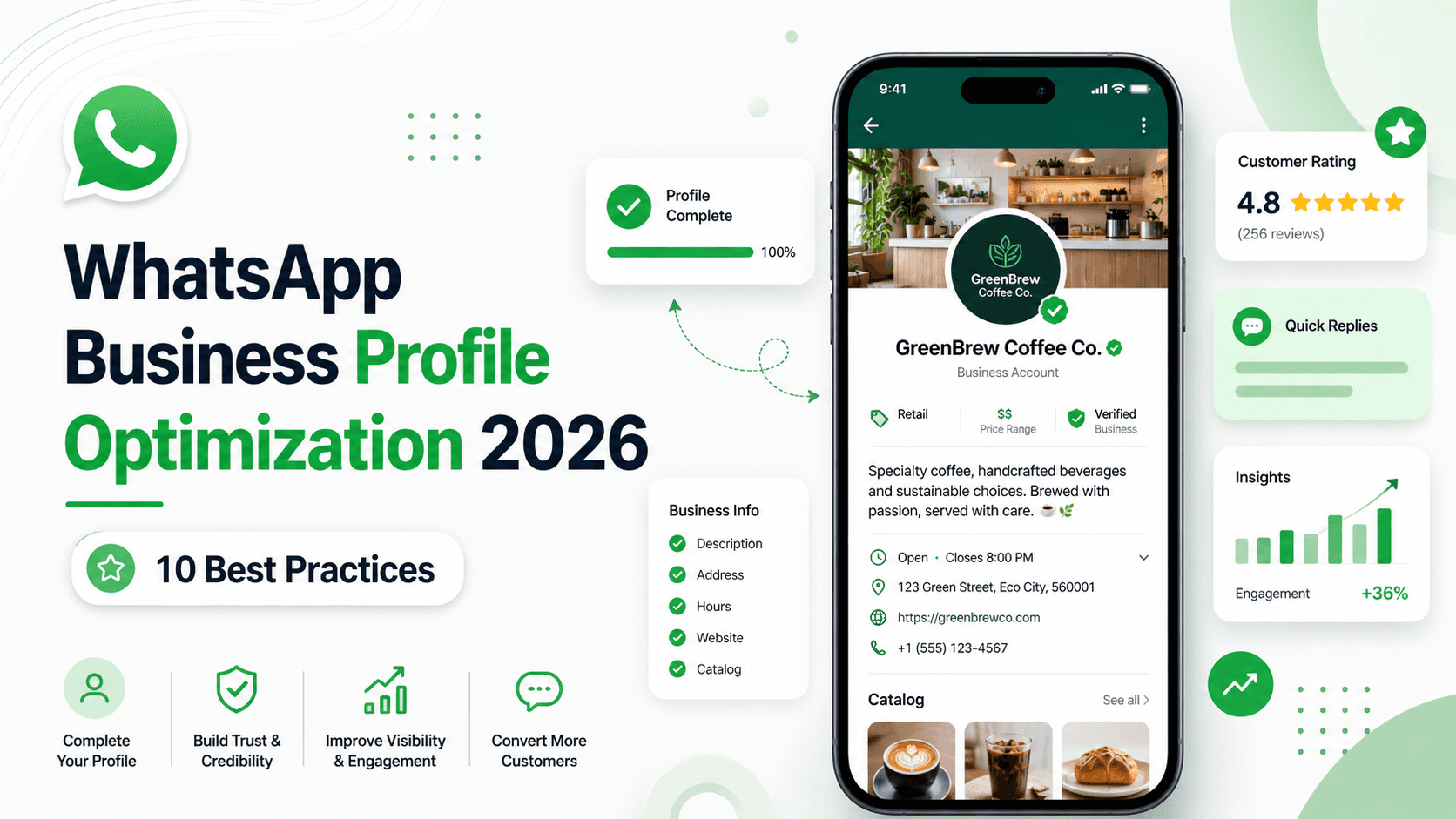
For the blog itself, the new hero image now matches this advice: it shows the complete profile, rating, quick replies, business info, and catalog as the main visual promise of the article.
These fields feel basic, but they often decide whether someone trusts the account enough to message. A profile with no website, no email, no hours, and no address can look temporary, especially for healthcare, education, finance, real estate, restaurants, and ecommerce.
Use the fields that fit your business model:
| Field | Best practice | When it matters most |
|---|---|---|
| Hours | Show real service hours and update holidays early | Clinics, restaurants, local services, support teams |
| Address | Use the customer-facing location, not a private office | Retail, branches, clinics, hospitality |
| Use a domain email when possible | B2B, regulated industries, high-value purchases | |
| Website | Link to the most useful page, not always the homepage | Ecommerce, bookings, pricing, demo requests |
| Category | Pick the closest real category | Discovery, trust, and expectation-setting |
If you serve customers online only, say that clearly in the description and link to a page that proves the business is real.
A profile can look polished and still fail if the customer does not know what to ask next. Your description, catalog, website link, and greeting should all point to the same first action.
Examples:
Do not make people write a perfect message from scratch. Give them a starting point.
A catalog can improve clicks because it lets customers inspect products without leaving WhatsApp. But an outdated catalog does the opposite. If prices, availability, or photos are wrong, customers lose confidence quickly.
A clean catalog entry should include:
For stores with many products, start with your top sellers instead of uploading everything. A small accurate catalog is better than a large stale one.
Quick replies are not just a support shortcut. They make the business feel prepared. If the same question appears every day, create a clear answer and keep it updated.
Start with these quick replies:
Good quick replies still sound like your brand. Avoid robotic lines such as "Dear valued customer, kindly be informed." Write like a helpful person who has answered the question many times.
If you run Click-to-WhatsApp ads, put WhatsApp links on your website, or add a chat button to Instagram, every entry point should have context. A customer coming from a pricing page should not receive the same first response as someone asking about delivery.
Use separate links or campaign tags for major entry points:
| Entry point | First response should ask |
|---|---|
| Pricing page | Team size, channel needs, and timeline |
| Product page | Product, size, quantity, and delivery city |
| Appointment page | Service, preferred date, and location |
| Instagram bio | What they saw and what they want to buy |
| Support page | Order number, issue type, and urgency |
For more on turning these chats into leads, see How to convert website visitors to WhatsApp leads.
AI can help a WhatsApp profile convert better, but only after the profile basics are clear. The safest approach is to use automation for the repetitive first mile and keep sensitive or high-value decisions with a person.
Good automation jobs:
Keep humans involved for:
If you want AI to assist WhatsApp replies, connect it to approved FAQs, policies, and product information. Then review the conversations that automation handled every week. AI should reduce waiting, not create a second support problem.
A strong profile creates more chats. That is good only if the team behind it can keep up. Once two or more people reply from WhatsApp, you need ownership rules.
A shared inbox helps because every conversation has a status, owner, notes, and history. Sales can see support context. Support can see order context. Managers can see response times and stuck conversations.
Use a shared inbox when:
OnSync is built for this layer: WhatsApp, Instagram, Facebook, Telegram, AI replies, routing, and team collaboration in one workspace. For related workflow guidance, read the shared inbox routing playbook and WhatsApp CRM implementation checklist.
Use this as your audit list before running more ads or adding automation.
| Item | Done? | What to check |
|---|---|---|
| Business name | No / yes | Matches website, storefront, and customer expectations |
| Profile photo | No / yes | Clear at small size and consistent with brand |
| Description | No / yes | Says offer, audience, location, and next step |
| Category | No / yes | Closest accurate business type |
| Hours | No / yes | Current hours, holiday changes, and after-hours expectations |
| Address | No / yes | Public-facing address or clear online-only explanation |
| Website | No / yes | Useful page with matching brand and contact details |
| No / yes | Customer-facing email, ideally on your domain | |
| Catalog |
Bloom Kids Store sells baby clothing, toys, and gift boxes across Saudi Arabia. Message us for sizing help, delivery times, or today's best-selling gift sets.
GreenBrew Coffee Co. serves specialty coffee, pastries, and office catering in Riyadh. Message us for today's menu, delivery options, or bulk orders.
Riyadh Dental Clinic provides dental cleanings, braces consultations, and emergency appointments. Message us with your preferred date and the service you need.
OnSync helps teams manage WhatsApp, Instagram, Facebook, and Telegram conversations in one shared inbox. Message us with your team size and main channel.
Write one or two sentences that explain what you sell, who you serve, where you operate, and what the customer should message you about. Avoid generic claims such as "best service" unless you can make them specific.
Review it at least once a quarter and any time your hours, products, website, location, pricing, catalog, or support workflow changes. Seasonal businesses should review it before every major campaign.
It does not work like a normal web page, but it can improve the customer journey from search, ads, social profiles, and your website. A clearer profile increases the chance that people who discover you elsewhere will start a WhatsApp conversation.
Use a square image with a centered logo, mark, storefront, or clear face. Avoid banners, tiny text, and busy product collages because they become hard to recognize in chat lists and notifications.
A verified badge can help trust if your business is eligible, but it is not the first fix. Complete your profile, match your brand across channels, respond quickly, and keep your catalog accurate before treating verification as the main lever.
Use the WhatsApp Business App if one person or a very small team can manage chats manually. Consider the WhatsApp Business Platform or API when you need multiple agents, automation, integrations, templates, reporting, and a shared inbox.
Start with the profile fields customers can see, then fix the workflow your team uses after the message arrives. A complete WhatsApp Business profile gets the click. A clear greeting, quick replies, catalog, routing, and shared inbox turn that click into a useful conversation.
If your current profile gets attention but not enough messages, rewrite the description, replace the photo, update the catalog, and test the first reply path before spending more on ads. Those fixes are simple, but they remove the hesitation customers feel before they tap Message.
Transform your business communication with OnSync's powerful WhatsApp automation platform.
| No / yes |
| Current products, prices, photos, and availability |
| Quick replies | No / yes | Covers top questions without sounding robotic |
| Click-to-chat links | No / yes | Entry points route to the right first response |
| Team ownership | No / yes | Every chat has an owner, status, and follow-up path |