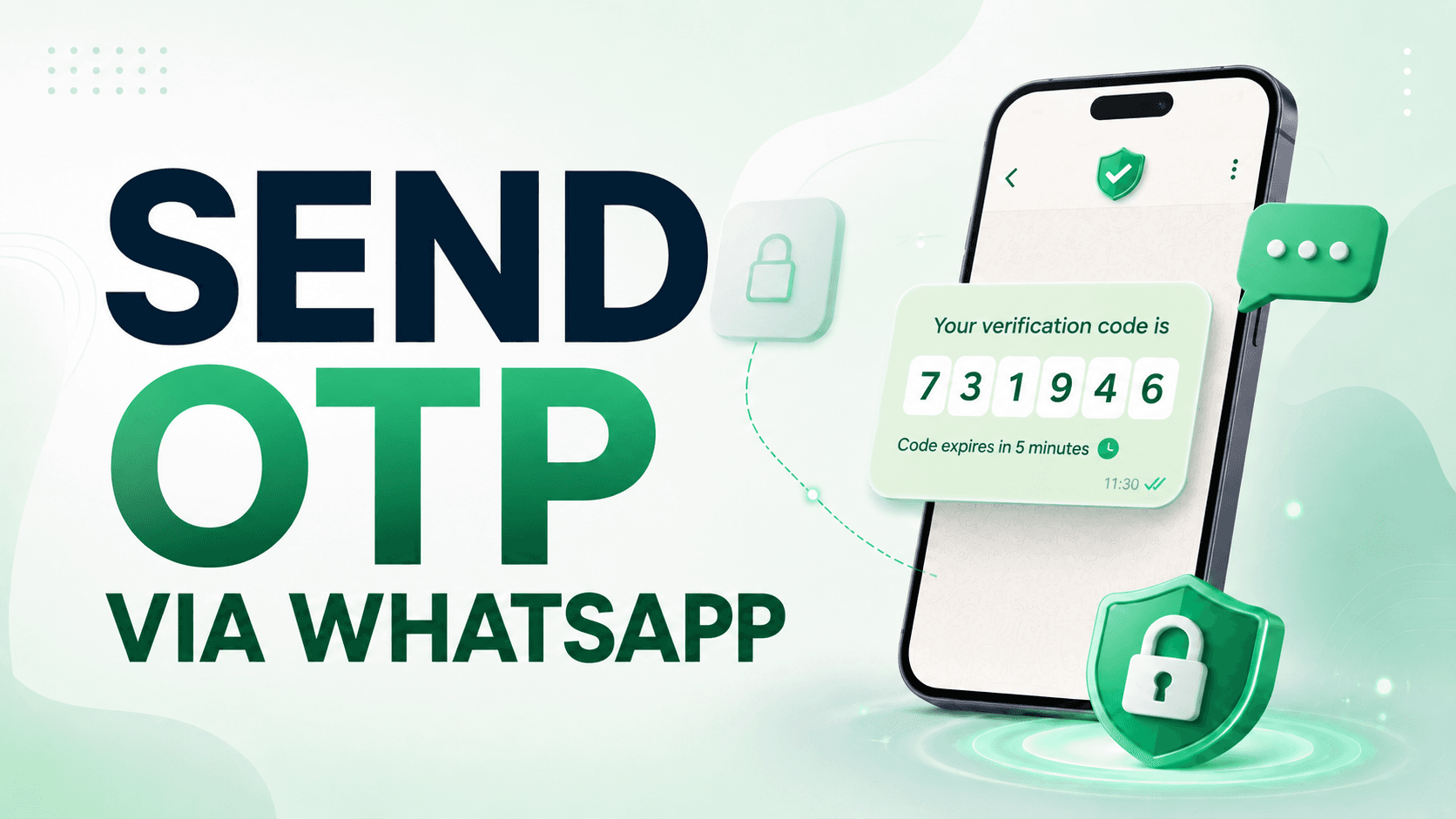
A practical guide to WhatsApp OTP for login, account verification, password recovery, delivery confirmation, and other high-trust flows. Learn when WhatsApp makes sense, when it does not, and how to run it with OnSync without turning authentication into a messy messaging project.
Use WhatsApp OTP when a user has just requested a login code, signup code, password reset, account verification, device check, or sensitive action confirmation, and WhatsApp is a natural channel for that user. Use an approved WhatsApp Authentication template with an OTP button such as Copy Code or One-Tap. Do not send verification codes through a marketing template or as a normal support message. With OnSync, you connect WhatsApp Business, sync the approved authentication template, trigger the template from your backend or workflow, and keep delivery status plus customer replies visible in the same inbox.
Most OTP projects start with a simple idea: send a short code, verify the user, move on.
Then the real work starts. Some codes arrive late. Some users never check SMS. Some customers are abroad. Some support teams get screenshots that say "I did not receive the code" but have no way to know whether the message failed, arrived, expired, or was sent to the wrong channel.
WhatsApp can solve part of that problem, especially in markets where people live inside WhatsApp all day. But WhatsApp OTP is not just "SMS, but greener." It has its own template rules, approval flow, pricing category, delivery behavior, user expectations, and fallback requirements.
This guide is written for product teams, founders, ecommerce operators, and support leaders who want to add WhatsApp OTP without building a fragile authentication channel. It explains who needs it, when to use it, when to avoid it, how WhatsApp authentication templates work, and how OnSync helps you run the channel as part of your real customer messaging operation.
OTP stands for one-time password. In practice, it is a short verification code, usually 4 to 8 digits or characters, used to confirm that a user controls a phone number, account, device, or action.
On WhatsApp, OTP should be sent through an Authentication template. This matters. WhatsApp Business Platform separates message templates into categories such as marketing, utility, authentication, and service. Authentication templates are built for login codes, account verification, account recovery, and integrity checks.
That category is intentionally restrictive. A proper WhatsApp OTP message is not a place for a banner, coupon, product link, or cross-sell. It is a short, predictable message with a code and an OTP button. The button may copy the code, open the app for a one-tap flow, or support a deeper zero-tap flow in specific mobile setups.
That constraint is good. It keeps the message clear, reduces confusion, and makes it easier for users to recognize a security code.
WhatsApp OTP is useful when the phone number is part of the user's identity and WhatsApp is already a trusted channel for your audience.
If users log into a dashboard, portal, booking tool, marketplace, or B2B app from their phones, WhatsApp OTP can reduce friction. It is especially useful when your users are more likely to check WhatsApp than email.
Common use cases include:
Ecommerce teams often think of WhatsApp as a support or sales channel, but OTP can also protect operational steps. For example, you may need to verify a phone number before changing a delivery address, confirm pickup, or validate a handoff between a customer and courier.
The important distinction is intent. A delivery update is usually a utility message. A code that proves the customer controls the phone number or authorizes a sensitive action is authentication.
Marketplaces often need quick identity checks between buyers, sellers, drivers, providers, or agents. WhatsApp OTP can help when the user is mobile-first and the process needs to be fast.
Examples:
Clinics, training centers, schools, and local service companies often have users who are not sitting at a desktop inbox. If the user is already using WhatsApp for appointments or support, receiving a verification code there can be more natural than checking email.
Still, use it carefully. If the action exposes personal information, medical information, payment details, or private account data, keep the OTP short-lived and provide a controlled fallback path.
If you already hear "the code did not arrive" from users in specific countries, WhatsApp may help. But do not replace SMS overnight. Add WhatsApp as a visible option, monitor completion, and compare real outcomes by country, device, and user segment.
Use WhatsApp OTP when the user understands why the code arrived. The cleanest flows are user-initiated.
Good use cases:
Weak or risky use cases:
The test is simple: if the message proves identity or ownership, it belongs in authentication. If it updates the customer about an order, invoice, or appointment, it is usually utility. If it tries to sell, it is marketing.
SMS is still useful. In many systems it should remain the fallback. But WhatsApp has practical advantages in markets where it is the default daily messaging app.
WhatsApp can help because:
But WhatsApp also has limits:
The best OTP system is not loyal to one channel. It is loyal to the user's ability to complete the task safely.
You need WhatsApp Business Platform, often used through Cloud API or a business solution provider. The regular WhatsApp Business app is not enough for a reliable OTP system because it does not give you the same template, API, webhook, and delivery-status workflow.
You need an approved Authentication template. If your app offers users the option to receive one-time passwords or verification codes through WhatsApp, the official ecosystem guidance is consistent: use an authentication template with an OTP button.
The template is usually built from preset text. It can include a security recommendation, such as not sharing the code, and an expiration warning. That controlled format is part of the point.
Authentication templates use OTP buttons. The common options are:
For most teams, Copy Code is the right first version. It keeps the product simple and works for web, mobile web, and app flows without requiring a deeper Android integration.
The code should expire quickly. Five to ten minutes is common for normal login and signup flows. More sensitive actions may need a shorter window and stricter attempt limits.
The user should know the code is coming through WhatsApp. A simple "Send code through WhatsApp" button is clearer than silently choosing the channel in the background.
Copy Code is the lowest-risk starting point. The user receives the code in WhatsApp, taps a button to copy it, and pastes it into your app or website.
Use Copy Code when:
One-Tap can reduce friction in Android app flows by making it easier for the user to pass the code back into your app. It needs additional mobile setup such as package name and signature hash, and it is not the same universal experience across every device.
Use One-Tap when:
Zero-Tap is for more advanced mobile authentication experiences. It should not be the first version for most companies. It is worth considering only when the volume is high, the app architecture is mature, and the security and compliance review is ready.
OnSync should not be the system that decides whether a code is valid. Your product should generate, store, expire, and validate the OTP. OnSync should make the WhatsApp side operational: connected number, approved templates, delivery, status tracking, and support visibility.
That split keeps your security logic clean.
Start by connecting your WhatsApp Business number in OnSync. Use a business-owned number, not a personal phone number that someone still needs in the WhatsApp app.
After connection, confirm that inbound messages and delivery statuses work. This matters because users often reply to OTP messages with things like "I did not get it" or "wrong number." Those replies should land somewhere your team can see.
Create a template with a clear name such as:
auth_login_code_en
auth_signup_code_en
auth_password_reset_en
Keep it specific. Do not use one vague template for every security action if the user experience differs.
A strong first template:
If the template is created in WhatsApp Manager or through your provider, sync it into OnSync so your team and backend can reference the approved version.
Your app should own the code. A good flow looks like this:
OnSync handles the WhatsApp operation. Your product handles authentication.
The exact payload depends on how your template is configured, but the idea is straightforward: pass the generated code into the template body and button parameter expected by the approved template.
A simplified example:
{
  "platform": "whatsapp",
  "to": "15551234567",
  "messageType": "template",
  "metadata": {
    "template": {
      "name": "auth_login_code_en",
      "language": "en",
      "components": [
        {
          "type": "body",
          "parameters": [
            { "type": "text", "text": "493821" }
          ]
        },
        {
          "type": "button",
          "sub_type": "url",
          "index": "0",
          "parameters": [
            { "type": "text", "text": "493821" }
          ]
        }
      ]
    }
  }
}
Do not copy this blindly as your final implementation. Match the payload to the approved template and provider requirements. The important part is that the code comes from your backend, the template is approved, and the message is sent as a template message, not as free-form text.
This is where many OTP projects are weaker than they look. A system can say "message sent" while the user still fails to verify.
Track:
If the completion rate is low, do not immediately blame WhatsApp. Check the UI copy, expiration window, resend timing, phone-number formatting, template language, and fallback path.
Small wording choices matter.
Good:
Send the verification code through WhatsApp
Better with context:
We will send a 6-digit code to WhatsApp number ending in 1234.
Weak:
Code sent.
That message does not tell the user where to look.
Use a resend timer. Do not let users request ten codes in ten seconds. A simple first version:
Also tell users not to share the code. Keep it direct:
Do not share this code with anyone. Our team will never ask for it.
That line is not filler. It prevents real support and fraud problems.
OTP is small, but it touches account security. Treat it like a security feature, not a messaging experiment.
Before launch, define:
Never store OTP values in plain text if you can avoid it. Store a hash, expire it quickly, and avoid displaying the full code to agents or admins.
OnSync is useful because WhatsApp OTP is not only an API call. It is part of a customer communication system.
With OnSync, you can:
That matters when OTP fails. A raw API integration may tell you the request returned 200. OnSync helps your team see the human side: did the customer reply, did the conversation need support, did this user have a previous issue, did the channel create friction?
Imagine an ecommerce store that lets customers change a delivery address after payment. That is convenient, but risky. The wrong person should not be able to change an address just by knowing an order number.
A practical WhatsApp OTP flow:
This flow is better than asking an agent to manually confirm the customer in chat. It is faster, more consistent, and easier to audit.
A SaaS product with a mobile-heavy audience may use WhatsApp OTP as an optional login method.
The login screen says:
Send code through WhatsApp
The user gets a code, copies it, and signs in. If the code does not arrive, the same screen offers SMS.
After two weeks, the product team compares:
That data tells the team whether to expand WhatsApp OTP, adjust the UI, or add One-Tap for Android.
Do not do this. It is the wrong category and creates avoidable approval and trust problems.
An OTP message should not say, "Your code is 493821, and here is 20% off." Keep authentication separate from marketing.
Tell the user the code is coming through WhatsApp. Otherwise, they may wait for SMS and assume the system failed.
WhatsApp can fail. The user can be offline. The number may not be active on WhatsApp. Always provide another path.
If the OTP appears in logs, dashboards, support tools, or error trackers, you have weakened the system.
Sent messages do not equal successful authentication. Completion is the metric that matters.
Start with one use case: signup, login, password reset, or sensitive action confirmation. Do not launch every OTP flow at once.
Create a WhatsApp Authentication template with Copy Code, the right language, a short expiration, and a security warning.
Connect WhatsApp Business in OnSync and confirm the approved template is available.
Generate the code in your own system, store it safely, and trigger the template through OnSync.
Test expired codes, wrong codes, too many attempts, offline users, invalid numbers, and fallback channels.
Start with a percentage of users, one country, or one product flow.
Look at completion rate, resend rate, support tickets, delivery errors, and fallback usage before expanding.
Yes. Use WhatsApp Business Platform with an approved Authentication template and an OTP button such as Copy Code or One-Tap. Do not send OTP as a normal message or marketing template.
Not for approved template messages. If the user has requested a code and you have the right opt-in and template, your business can send the authentication template.
Not always. Cost depends on the destination country, WhatsApp message category, provider fees, and your completion rate. Compare cost per completed verification, not only cost per message.
Usually no. Your application should generate and validate the code. OnSync should handle WhatsApp template delivery, statuses, inbox visibility, and operational routing.
For most first launches, yes. Copy Code is simpler and more broadly useful. Consider One-Tap only after the basic flow works and you have enough Android app volume to justify it.
Show a fallback such as SMS or email, and use delivery data to understand whether the issue is number formatting, destination country, template setup, or user behavior.
Yes, if the purpose is verifying the person or confirming a sensitive handoff. Normal order updates are usually utility messages, not authentication messages.
WhatsApp OTP is worth adding when it helps users complete a real authentication step faster and with less confusion. It is not worth adding just because WhatsApp has high open rates.
Start with a clear user-initiated flow, an approved Authentication template, Copy Code, a short expiration window, and a fallback channel. Keep code generation and validation inside your own product. Use OnSync to run the WhatsApp side cleanly: templates, delivery, replies, inbox context, and support routing.
The goal is not to send more codes. The goal is to help the right user complete the right action without opening a support ticket because the verification flow broke.
Transform your business communication with OnSync's powerful WhatsApp automation platform.