Back to Blog
Use Case
Shared Social Inbox: How to Manage Customer Conversations Across Channels
Learn how a shared social inbox helps teams manage Instagram, Facebook, and WhatsApp conversations faster with clean collaboration and better visibility.
OnSync Editorial Team
February 17, 2026
10 min read
Quick Answer
A shared social inbox unifies customer conversations from major messaging channels into one workspace so teams can route, respond, and report consistently.
Key Points
- Centralize WhatsApp, Instagram, and Facebook messages in one queue.
- Use assignment logic and SLA rules to prevent missed messages.
- Improve handoffs with internal notes and shared context in every thread.
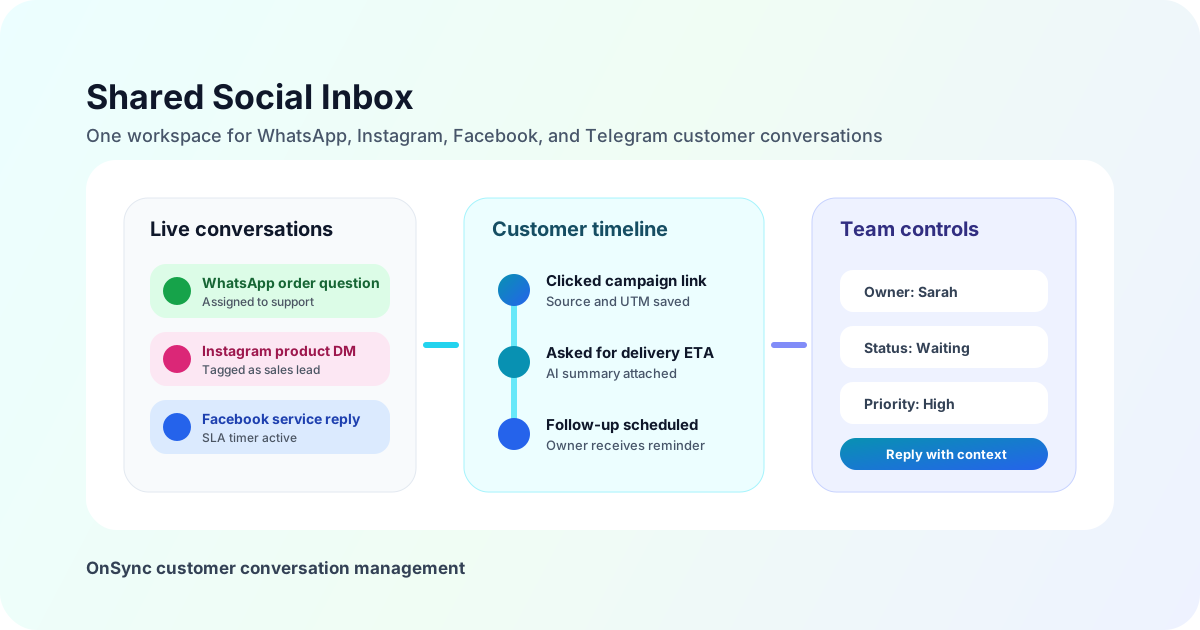
Learn how a shared social inbox helps teams manage Instagram, Facebook, and WhatsApp conversations faster with clean collaboration and better visibility.
Shared Inbox Operating Model
Centralized visibility
View WhatsApp, Instagram, and Facebook threads in one queue with full context.
SLA control
Use timers and routing rules to keep first-response and resolution targets predictable.
Clean handoffs
Pass conversations with internal notes, ownership tags, and collision prevention.
Governance
Apply permissions, audit trails, and quality controls across every channel.
Implementation Checklist
- Connect channels and normalize contact identities.
- Define assignment rules by team and conversation intent.
- Set first-response SLA targets and escalation thresholds.
- Build template libraries for repetitive scenarios.
- Review weekly dashboards for response and conversion performance.
Internal Links: Related Playbooks
Expand this system with multi-channel messaging operations.
Prevent duplicate replies using multi-team reply governance.
Benchmark tooling with platform comparison criteria.
Ready to Get Started?
Transform your business communication with OnSync's powerful WhatsApp automation platform.